AI Logo Maker & Logo Creator
Maxlabs Graphic Design ToolsPhotography
4.62.37K Reviews
- Version
- 5.5.0
- Installs
- 10.00M
- Age Rating
- Everyone
Screenshots
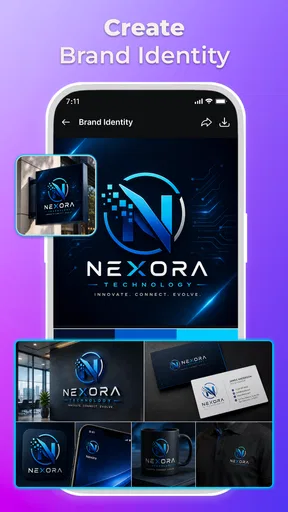
Our Review of AI Logo Maker & Logo Creator
 Analysis by Appyee
I like Logo Maker & Logo Creator best as a quick-start tool: it helps turn a rough idea into a usable first draft without asking you to learn a full design program. That convenience comes with a trade-off. A ready-made template can get a small project moving, but it takes care and restraint to make the result feel distinctive rather than like a familiar preset. I’d recommend it to people who need a practical logo concept on a phone, not to anyone expecting a complete branding studio.
A quick route from idea to first draft
For a first logo, the hardest part is often not using the controls but deciding what the mark should communicate. Starting with a template gives you something concrete to react to: you can compare a symbol, type treatment and color direction rather than facing a blank canvas. I find that especially useful when I have a name and a general mood in mind but no clear visual plan.
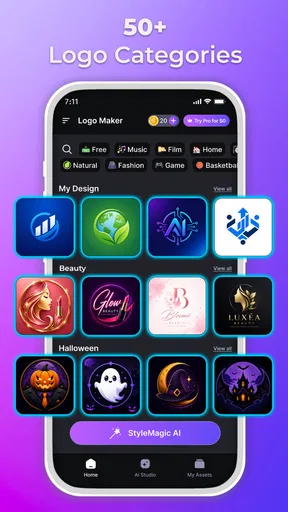
The app is a photography-category app from Maxlabs Graphic Design Tools, and its focus is visual creation rather than business planning. Its library is described as containing more than three thousand templates, alongside photos, filters, emojis, effects and logo themes. That breadth is useful for exploring different directions, though a large choice can also make it tempting to keep browsing instead of settling on a simple, coherent design.
A sensible way to use that variety is to choose a few promising starting points and compare them against the same practical test: can someone recognize the name and basic shape quickly? I’d avoid adding decorative elements simply because they are available. For a logo that needs to work as a small profile image, a clean silhouette and readable lettering usually matter more than extra effects.
What the design process feels like
First off, let's talk about ease of use. When I downloaded the app, I was greeted with an intuitive interface that made getting started a breeze. The layout is clean and straightforward, which is great because no one wants to be fiddling around trying to figure out how to use something when inspiration strikes. The app offers a wide array of templates to choose from, which is particularly useful if you're not feeling super inspired or if you're in a hurry.
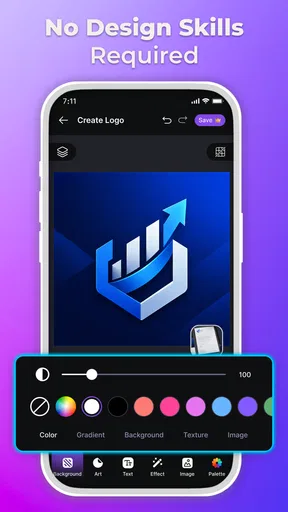
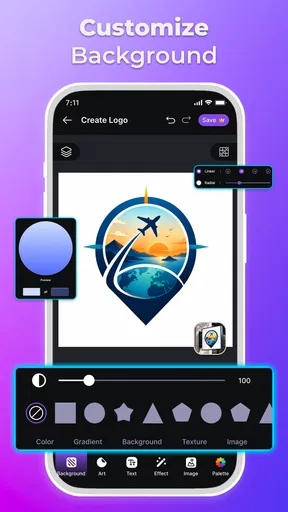
Once you pick a template, customizing it is as easy as pie. You can tweak everything from colors and fonts to icons and layouts. The drag-and-drop functionality works smoothly, so you can change things up without any hassle. I found myself enjoying the process of playing around with different combinations just to see what I could come up with.
Choosing a template without losing your own idea
The real value of a template is that it reduces the number of decisions you have to make at the beginning. It is also the main creative risk: if you only change the wording and color, the design may still feel like the template it started from. I’d use a template as a sketch, then deliberately adjust the balance of the elements and remove anything that does not help the name or concept stand out.
One useful workflow is to make a deliberately plain version before experimenting with decoration. Settle the wording, choose a legible type style and establish a simple color direction first. Then try a second version with an icon or effect and compare them at a glance. This makes it easier to see whether an embellishment improves the identity or merely makes the screen look busier.
That comparison matters because logos are often seen in very different contexts. A design that looks appealing at full size may lose clarity when reduced to a small avatar. Before treating a draft as finished, I’d check whether its key shape and wording remain easy to distinguish at a smaller display size. If the visual idea depends on fine detail, simplifying it is likely to help more than adding another effect.
Diving into Features
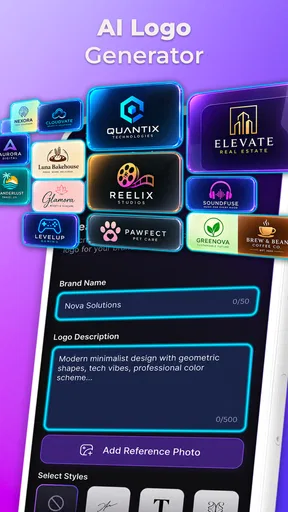
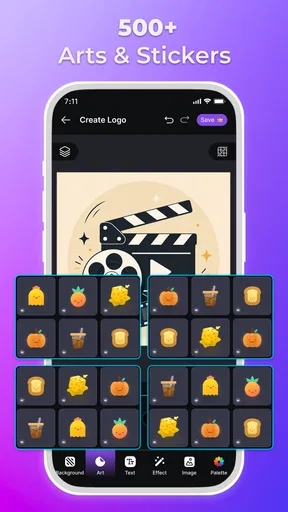
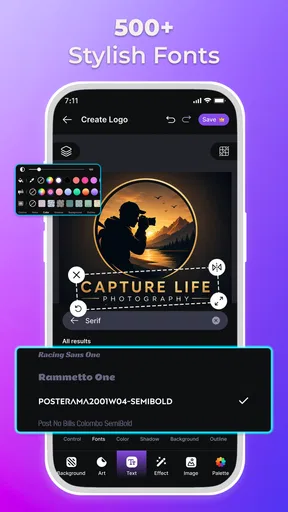
One of the standout features of Logo Maker & Logo Creator is its extensive library of icons and fonts. Seriously, it's like having a treasure trove of design elements at your fingertips. Whether you're going for something sleek and modern or something more whimsical, you’re bound to find elements that fit your style.
The range of visual ingredients can be useful for making several early concepts quickly. I would still treat the available assets as building blocks, not as a guarantee that a finished mark will be original or suitable for every use. If the logo represents a real business, the decision to use a particular symbol deserves more thought than simply choosing the first image that matches the industry.
Another feature I found particularly useful is the ability to export logos in high resolution. This means you can use your freshly designed logo across different platforms without worrying about it looking pixelated. Whether you're planning to print it on business cards or splash it across social media, the quality holds up quite nicely.
Even with a high-resolution export, I’d keep the intended use in mind. A logo for a social profile, a simple flyer or a small personal project may be well served by a phone-made design. If you need a complete identity system, carefully prepared files for many formats, or a precise handoff to a print or web team, a dedicated desktop design tool or a professional designer may be a better fit. Export quality helps with clarity, but it does not by itself provide all the variations a broader brand project can require.
Where it fits in an everyday project
Imagine I’m helping a friend announce a weekend craft stall. They have a name, a rough idea of the colors they like and a social page that needs a recognizable image before the announcement goes out. I could browse a few templates, test a symbol and type combination, and make a draft on the phone without turning the task into a long design project. For that kind of modest, time-sensitive need, the app’s template-led approach makes sense.
I would not treat that quick draft as automatically ready for every future use. If the stall grows into a larger business, the owner may want a more distinctive mark and a consistent set of materials. The app can help explore a direction, but the next step might be rebuilding or refining the chosen concept in a more flexible design workflow. Its strength is getting from “we need something” to a visual starting point; the user still has to judge whether that starting point is strong enough.
For a personal event, a club project or a small online page, the balance can be different. A logo only needs to be clear and appealing in its immediate setting, so speed and ease may matter more than having a bespoke identity. I’d use the app confidently for those limited-scope jobs, while keeping a copy of the original idea and checking the final design in the place where people will actually see it.
A Few Quirks
Now, no app is perfect and Logo Maker & Logo Creator is no exception. While the app mostly runs smoothly, there were a couple of times when it lagged a bit, especially when I was working with more complex designs. It wasn’t a dealbreaker by any means, but it’s something to be aware of if you’re planning to create intricate logos with multiple elements.
That gives me another reason to work in stages rather than piling on details. I’d first save or export a straightforward direction, then try a more elaborate variation. Apart from making the design easier to assess, that approach gives you a simpler fallback if a crowded composition becomes hard to manage. The reported lag is more relevant to people who like to layer many elements than to someone who only needs a clean, basic mark.
Also, while the app offers plenty of free options, some of the more premium features and elements are locked behind a paywall. This is pretty standard for apps like this, but it's worth noting if you're on a tight budget.
The app is free to download, with in-app purchases ranging from ninety-nine cents to just under forty dollars per item. I’d explore the free choices first and decide what the design actually needs before paying for an extra element or feature. That keeps the process focused: if a logo only works after adding several paid decorations, it may be worth reconsidering the underlying layout instead.
It has an Everyone content rating, and the current version is 5.2.2, with Android 7.0 as the minimum operating system requirement. Those details make it easier to judge whether the app is a practical option for a particular device and household, while the free entry point makes it possible to try the basic design approach before deciding whether any purchase is worthwhile.
Who should choose it—and who may not
I think this is a good fit for someone who wants to create a straightforward logo draft on a phone, especially a first-time creator who benefits from templates and a visual library. It can also suit a small project owner who needs a quick image for an online presence and is comfortable making their own choices about type, color and simplicity.
I’d point a professional designer, or anyone building a long-term commercial identity, toward a more flexible desktop tool or a specialist design process instead. Those alternatives are better when the work needs careful control, a distinctive custom mark or a coordinated family of assets. Compared with opening a general-purpose design app, this one gets you into logo concepts sooner; compared with bespoke design work, it asks you to accept more constraints and do more of the originality work yourself.
Its popularity is substantial: it has passed ten million installs, with an average rating of four and a half from around one hundred fifty-eight thousand ratings and about two thousand two hundred written reviews. I take that as a sign that it has found a broad audience, not as proof that every template or workflow will suit every project. The practical question is whether a phone-based, template-led approach matches the job you have in mind.
Final Thoughts
All in all, I’d say Logo Maker & Logo Creator is a solid choice for anyone looking to create a logo without too much fuss. It’s user-friendly and packed with features that cater to both novice and experienced designers. The extensive library is a definite highlight, giving you a ton of creative freedom to bring your vision to life.
The minor performance hiccups and premium content restrictions are small prices to pay for the convenience and quality this app offers. So if you’re on the hunt for a reliable logo-making app, give this one a shot. You might just find it’s exactly what you’ve been looking for.
My advice is to judge the result by how clearly it communicates, not by how many options you can fit into it. Try a simple direction, compare it with a more decorated one, and keep the version that stays recognizable when viewed small. With that approach, the app can be a handy first stop for a personal or small-scale project. If the mark needs to carry a business identity for years, I’d use it to explore ideas, then consider a more custom design route before calling the work finished.
Verdict
Strengths of AI Logo Maker & Logo Creator
- Easy-to-use interface for beginners.
- Wide selection of customizable templates.
- High-quality export options available.
- Supports multiple file formats for saving.
- Regular updates with new design elements.
Limitations of AI Logo Maker & Logo Creator
- Limited free version features.
- In-app purchases can be expensive.
- Requires internet for some templates.
- Occasional app crashes reported.
- Ads can be intrusive in free version.
Other Releases by Maxlabs Graphic Design Tools
View All
Invitation Maker & Card Design
Art & Design3.8

Poster Maker - Flyer Maker
Art & Design4.2
Similar Picks in This Category
View All
Google Photos
Google LLC4.4

Gallery
Google LLC4.2

Picsart AI Photo Editor, Video
PicsArt, Inc.3.9

B612 AI Photo&Video Editor
SNOW Corporation4.1

BeautyPlus-Selfie Photo Editor
PIXOCIAL TECHNOLOGY (SINGAPORE) PTE. LTD.4.5

Remini - AI Photo Enhancer
Bending Spoons4.1
Frequently Asked Questions
What features does Logo Maker & Logo Creator offer?
Logo Maker & Logo Creator provides a wide range of features including customizable templates, a vast library of icons and fonts, and advanced editing tools. Users can design logos with ease using drag-and-drop functionality and can export their creations in high-resolution formats suitable for both digital and print use.
Is Logo Maker & Logo Creator user-friendly for beginners?
Yes, Logo Maker & Logo Creator is designed with beginners in mind. It offers an intuitive interface with easy-to-follow instructions. The app includes tutorials and tips to guide users through the logo creation process, making it accessible for anyone without prior design experience.
Can I use Logo Maker & Logo Creator for commercial purposes?
Logo Maker & Logo Creator allows users to create logos for both personal and commercial use. However, it’s important to review the app’s licensing terms to ensure compliance with any specific restrictions on the use of certain elements or templates provided within the app.
Are there any in-app purchases or subscriptions required?
While Logo Maker & Logo Creator offers a free version with basic features, there are in-app purchases available for additional templates, fonts, and design elements. Users can also opt for a subscription plan to unlock premium features and remove ads for an enhanced design experience.
What file formats can I export my logo in?
Logo Maker & Logo Creator supports a variety of export formats, including PNG, JPEG, and SVG. This flexibility allows users to choose the best format for their needs, whether it's for web use, social media, or professional printing, ensuring high-quality output for every project.
